The ultimate infographic for SEO
Archived blog entry by Jesse Gonzalez.
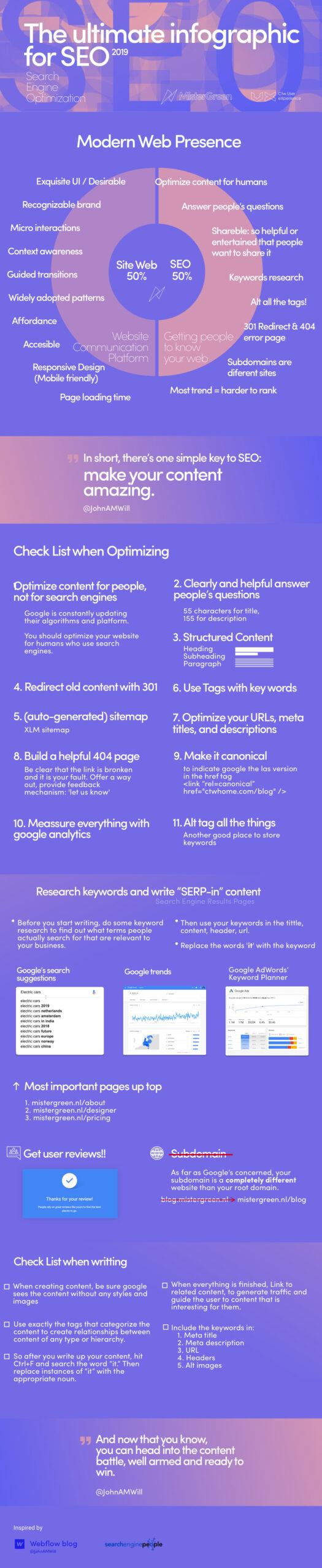
Source credit and accessibility transcription: This archived infographic is credited in the recovered artwork to MisterGreen, Jesse Gonzalez, and its listed inspiration sources. Text below transcribes its key guidance so content remains available without reading image. Recommendations reflect 2019 practice.
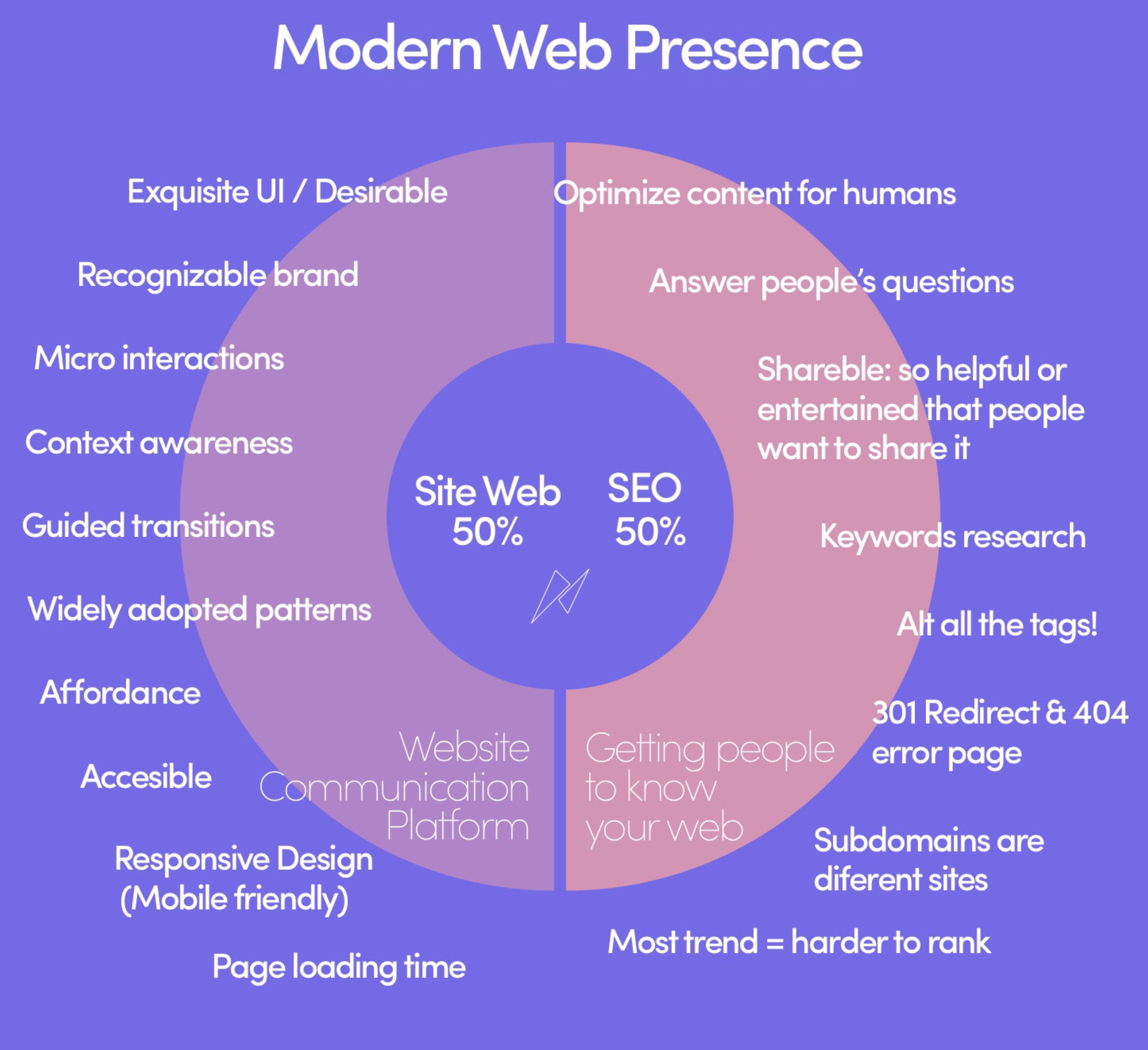
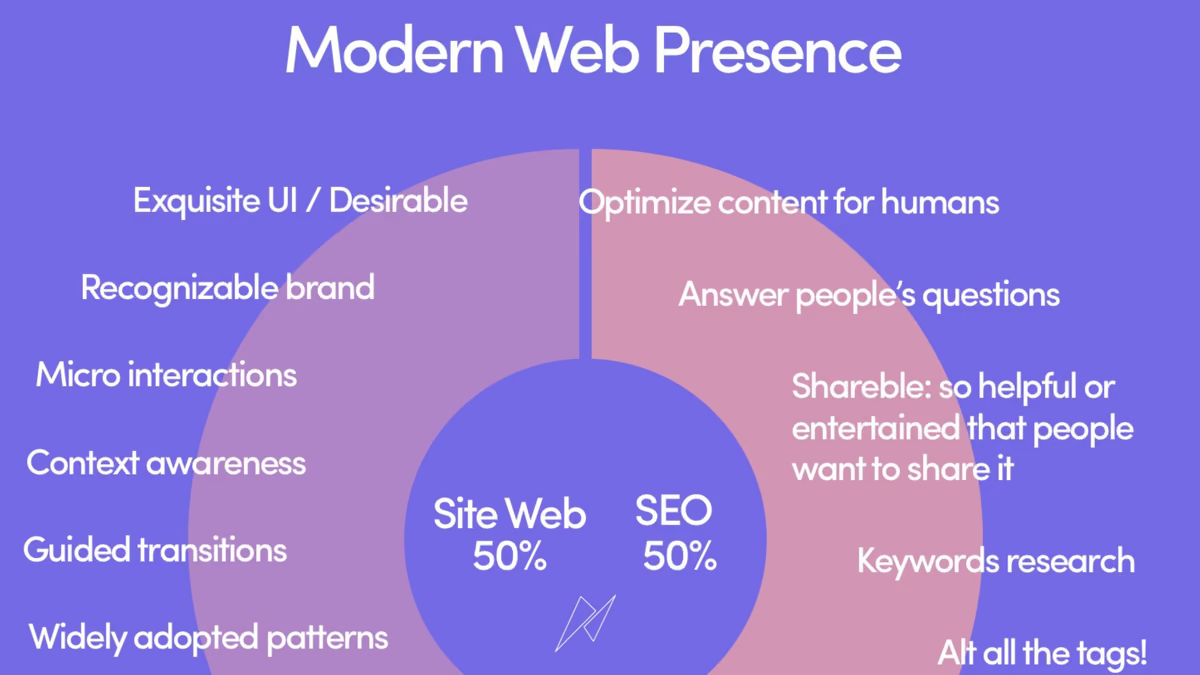
Modern web presence
Infographic presents modern web presence as equal balance between website communication and helping people discover site. Website half lists desirable interface design, recognizable brand, micro-interactions, context awareness, guided transitions, familiar patterns, affordance, accessibility, responsive design, and page-loading time. SEO half calls for human-centered content, clear answers to people’s questions, shareable value, keyword research, alt text, redirects, useful 404 pages, careful subdomain use, and awareness that popular trends can be harder to rank for.
Its summary: make your content amazing.
Optimization checklist
- Write for people, not search engines.
- Answer people’s questions clearly and helpfully; artwork suggests concise titles and descriptions.
- Structure content with headings, subheadings, and paragraphs.
- Redirect old content with permanent redirects.
- Generate an XML sitemap.
- Use relevant tags and keywords.
- Optimize URLs, metadata titles, and descriptions.
- Build a helpful 404 page that explains error and offers a way forward.
- Mark canonical URLs.
- Measure site behavior.
- Add useful alt text to images.
For keyword research, infographic recommends checking real search behavior before writing, then using relevant terms naturally in titles, content, headers, metadata, URLs, and image alt text. It also recommends keeping important pages near top of information hierarchy, collecting user reviews, treating subdomains as separate sites for search purposes, linking related content, and checking every link, image, style, tag, and filename before publication.